Product
Accounting software for CPA firms
One double-entry ledger for each client your firm serves: its books and its returns, from the first bank line to the signed return, with your own Claude working in it as you. Payroll in Mastro is coming soon.
$49.00 a month, or $470.40 a year ahead, with Mastro's AI. $39.00 a month, or $374.40 a year ahead, on your own Claude.
The parts
What each client's books get
A ledger that balances
Every entry balances and stays in its client's books. Posted entries never change; a correction is a reversing entry.
Bank feeds and statements
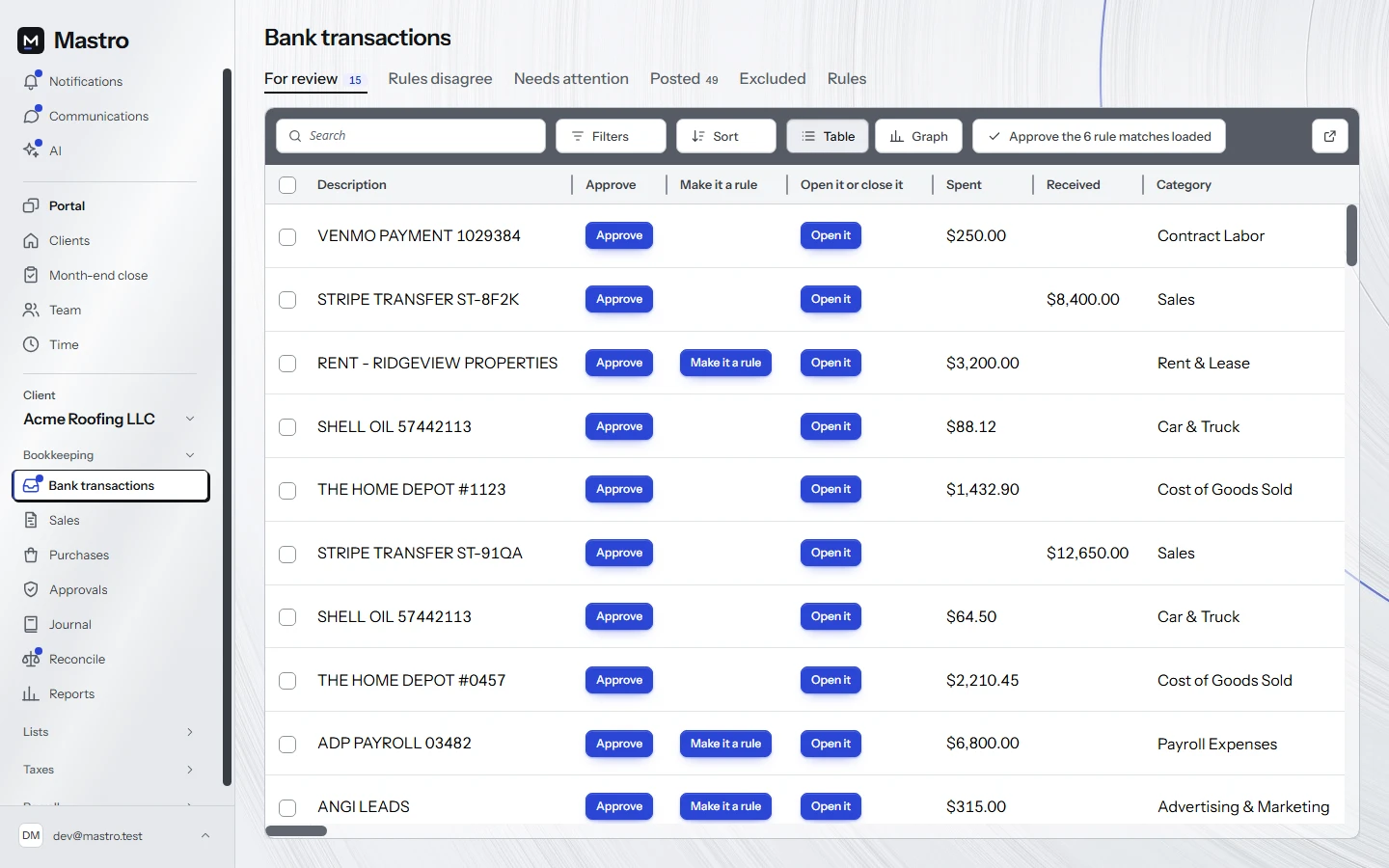
Live bank feeds bring transactions in on their own. A bank without a feed takes a CSV or OFX statement, and importing one twice never duplicates a line.
Rules you can read
Rules are tried top to bottom and suggest a category. A person approves it, unless you set a rule to post on its own.
Reconciled to the cent
Tick each line on the statement until the difference is $0.00. Every finished reconciliation keeps its report.
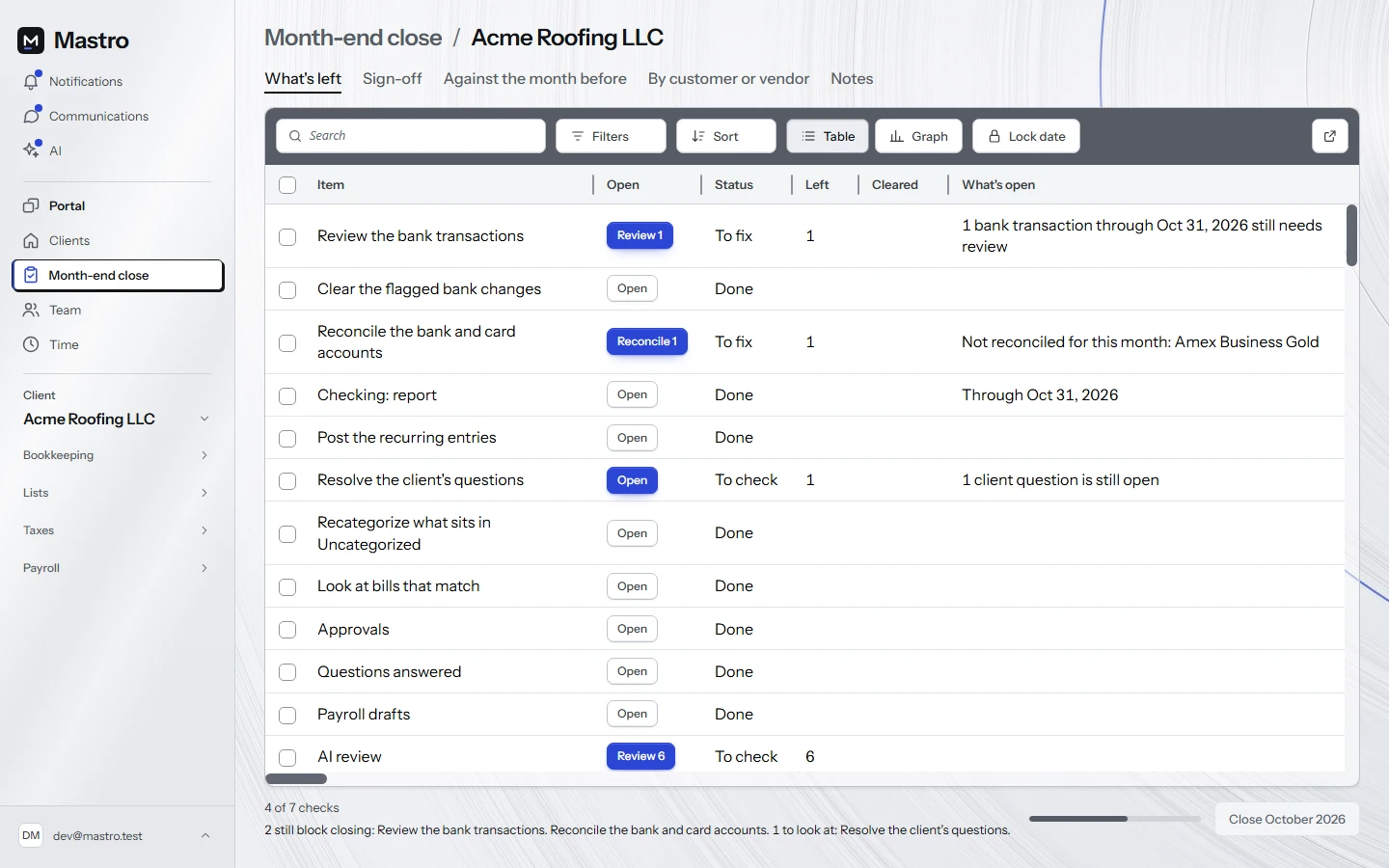
A month-end close
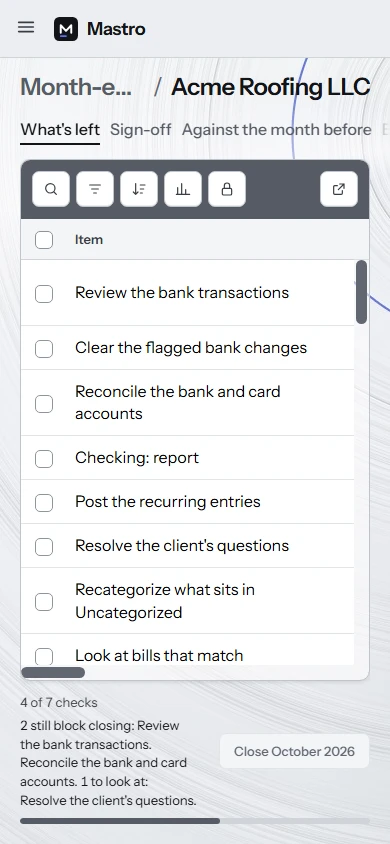
A checklist says what still blocks the month. Close it, and the client's financials for that month are ready in their portal.
Financial reporting from the ledger
Profit and loss, balance sheet, cash flow, and the general ledger for any period, with budgets beside the actuals, to print or export.
Invoices and bills
Invoices, estimates, and customer statements out; bills and purchase orders in. Card payments go to the client's own Stripe account, and Mastro records them.
Inventory, sales tax, currencies
Products and quantities on hand, sales tax by agency, and accounts in other currencies, revalued at month end.
Payroll on Mastro's own tax engine
Coming soon: every check figured to the cent, previewed, approved, and posted to the books. Payroll
Tax prep from the books
The 1040, business returns, state and local returns, sales tax, and 1099s on the agencies' own forms, every line traced to its accounts, with Form 8879 signed in Mastro. Tax prep
A portal for the client
Closed months' financials, your questions about their transactions, documents, messages, their tax plan, and their bank connections.
An AI that works for you
Each person's own Claude, connected to Mastro: it categorizes, follows up, prepares the close, and answers questions about the books. Your firm sets what it does, what it asks first about, and what it can't do.
How a month goes
From the first bank line to the closed month
- 01
Bank lines come in
From the client's bank feeds, or from a statement you import.
- 02
A person approves
Rules suggest the category. Nothing posts until someone approves it, unless a rule you approved posts it.
- 03
Questions go to the client
A line you can't place goes to the client's portal, with only that transaction.
- 04
The accounts reconcile
Each bank and card account, to the statement, to the cent.
- 05
The month closes
Closing locks the month, and the client sees its financials.
AI native
Whatever you can do, your Claude can do, on your firm's rules
The AI is your own Claude, connected to Mastro, on your own Claude plan. Your firm decides, area by area, what it does, what it asks first about, and what it can't do.
Your Claude, signed in as you
Claude on the web, on your desktop, or in Claude Code connects to Mastro and works with exactly the access you have: the clients you can see, and nothing more.
One review queue
Every category, rule, entry, and question the AI suggests, and every change it asks first about, waits here with its reason. Approve or reject one, or many at once. Nothing in it happens until you do.
Ask Claude from Mastro
On the review queue, a reconciliation, or the month-end close, Ask Claude opens your Claude with the request typed in, and Claude shows Mastro's own screen to approve on.
What it sees, and doesn't
Only clients with the AI module, and only what the person could see. Numbers that identify a person or an account reach it as their last four digits. On a Claude Team or Enterprise plan, Anthropic doesn't train on your conversations.
Your firm's permissions
In AI, Settings, your owners and admins set each area: posting, rules, invoices and bills, reconciling and closing, payroll, taxes, what goes to clients, lists, and the team. Claude does it, asks first, or can't. Rules still post the same way every time.
AI native, and safe for a CPA firm AI bookkeeping, in detail
For the firm
From the client's fees to the paid invoice
What your firm does around the books, in the same place: billing your clients.
- Billing your clientsEach client's fees, charged on your firm's own Stripe account.
Money and filing
The client's bank moves it, your firm files it
Mastro does the figuring, the paperwork, and the record-keeping. The accounts and the agencies stay the client's and the firm's own.
- MoneyThe client's own bank and Stripe account move it. Mastro figures every amount, makes the file the bank takes, and records each payment.
- FilingMastro prepares each return and payroll filing from the books. The taxpayer and your firm sign in Mastro, your firm files through its own channel and logs it, and every deadline and filing is tracked.