Mastro Ledger AI-native books for CPA firms.
Your own Claude does what you can do in Mastro, as you, with exactly your access, and your firm decides what it does, what waits for a person, and what it can't touch. Bookkeeping, payroll, and tax prep for every client, in one ledger that never changes after it posts.
30 days free · no card · QuickBooks migration free
Built to run with AI, so your books are done in a fraction of the time. Learn more
- AI native
- Ledger
- Bank feeds
- Reconciliation
- Month-end close
- Reports
- Invoices and bills
- Payroll
- Tax prep
- 1099s
- Client portal
AI native
Whatever you can do in Mastro, your Claude can do
Connect your own Claude to Mastro and ask it for the work: categorize what came in, ask the client a question, post the entry that closes the month. It works as you, on your own Claude plan, with exactly your access. Your firm decides, area by area, what it does on its own, what waits in one review queue for someone to approve, and what it can't touch.
- As you
Your access, nothing more
Claude signs in to Mastro as you. It reaches the clients you can see and does what you can do.
- The work
Not just answers
It categorizes, reconciles, closes, invoices, and asks the client, through the same actions Mastro's screens use.
- The books
A live map of each client
It answers from the books, with where each number comes from.
- Your plan
Your own Claude
Mastro never resells AI or marks up tokens.
- CategoryCHEVRON 0042 → FuelChevron is a gas station, and the Shell lines went to Fuel.
- CategoryOLIVE GARDEN 1234 → MealsOlive Garden is a restaurant.
- MessageFollowing up: the $312.00 at Frontdesk SupplyAsked a week ago; the client hasn't answered.
- Close notesMarch 2026's closeBoth accounts reconciled; nothing blocks the close.
4 selectedApprove 4
Safe for a CPA firm
The firm holds the controls
You answer for your clients' books. Here is what holds whatever Claude is asked.
- You set each areaFor posting, rules, invoices and bills, closing, payroll, taxes, and more: Claude does it, asks first, or can't.
- Asking first means a person approvesThe change waits in the review queue with its reason, and approving it is always someone's click.
- Every action is on the recordWhat Claude reads, suggests, and does is in the client's activity feed.
- No model runs on the booksRules are deterministic, so the same books and rules always post the same way.
- Sensitive numbers stay maskedSocial Security, bank account, and card numbers reach Claude as their last four digits, and pay rates never do.
- Client by clientClaude reaches a client only when its plan has the AI module.
The product
A client's whole month, in one place
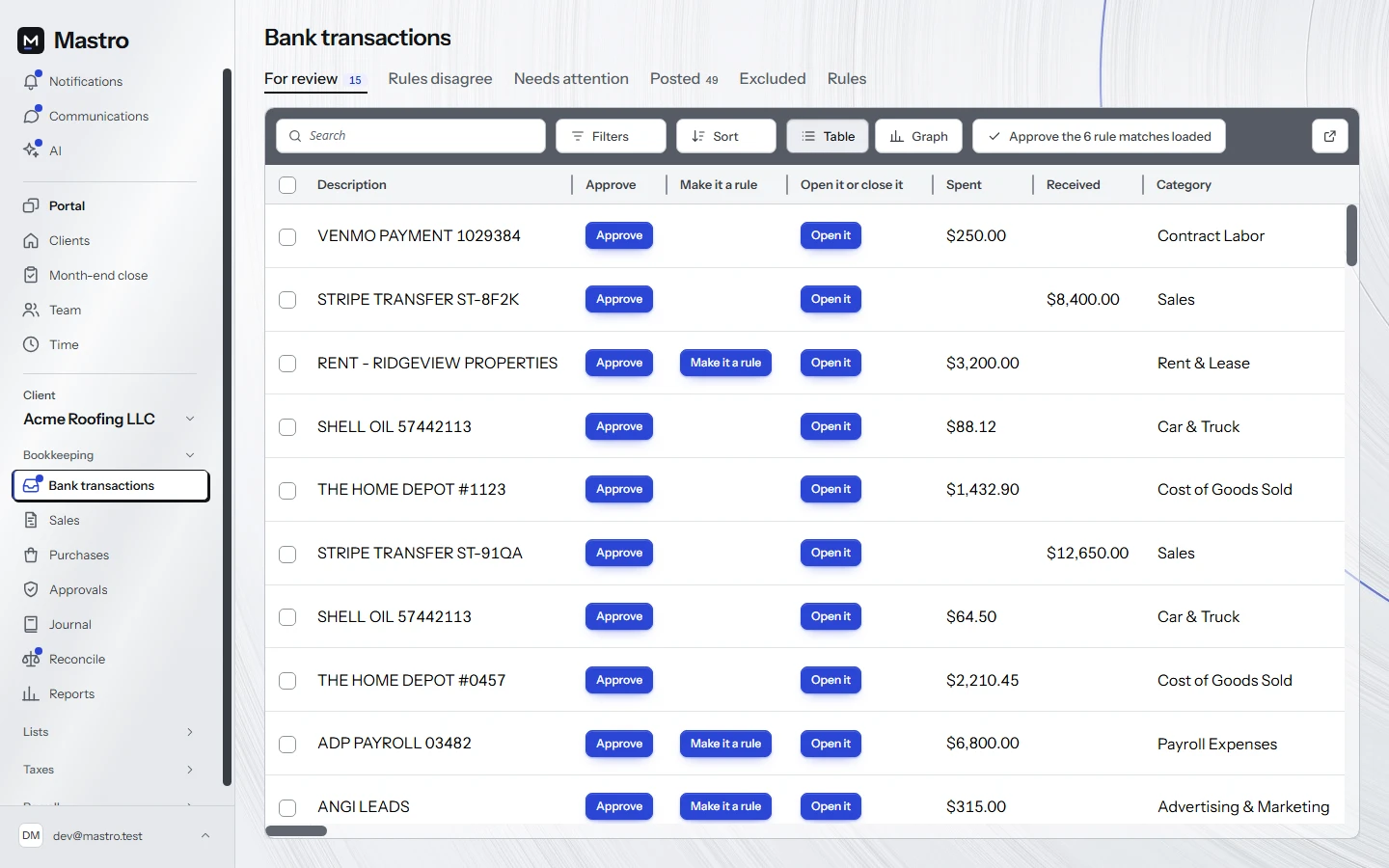
Bank lines come in, a person approves them, the accounts reconcile, and the month closes. Then the client sees it.
- 01 · Review
Nothing posts unseen
Every bank line waits for a person, unless a rule you approved posts it.
- 02 · Reconcile
To the cent
Tick each line on the statement until the difference is $0.00, and keep the report.
- 03 · Close
A checklist, then a lock
The close says what still blocks the month. Closing locks it and publishes the client's financials.
Everything a client needs
Books, payroll, and tax prep in one ledger
One place for the work you do for a client, so nothing is retyped between systems. Turn on the modules each client needs.
The books
A double-entry ledger, bank feeds, rules, reconciliation, the close, reports, invoices and bills, inventory, sales tax, and the client portal.
Payroll, run in Mastro
Every check figured to the cent on Mastro's own tax engine, federal and all fifty states, then posted to the books. Stubs, direct deposit files, and the filings prepared from the pay. Payroll
Returns, prepared
The 1040, the business returns, state and local returns, sales tax, and 1099s, prepared from the books on the agencies' own forms, with every line traced. Tax prep
Signing and filing
The firm and the taxpayer sign in Mastro, the firm files through its own channel and logs it in Mastro, and every deadline and filing is tracked.
Money, recorded
The client's own bank and Stripe account move the money. Mastro records every payment in the books.
Billing your clients
Each client's fees, charged on your firm's own Stripe account. Client billing
The client's side
Your clients answer in the portal, not over email
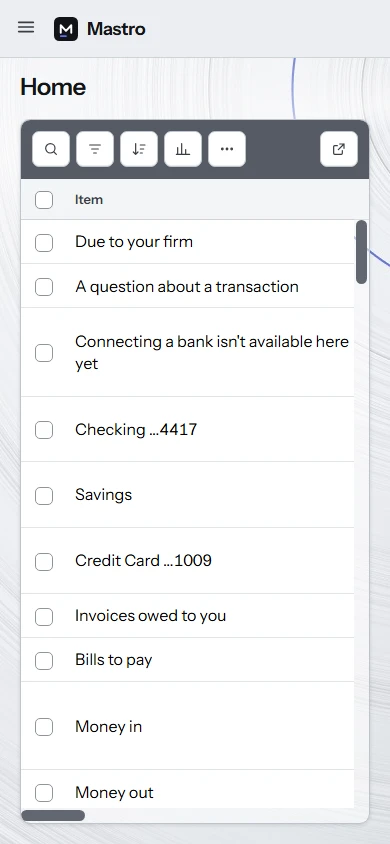
Every client gets a portal of their own, for as many of their people as they like. When a bank line needs explaining, you ask from the review queue: they see that one transaction and your question, nothing else from the feed, and a sentence back is plenty.
What was this $250 Venmo payment for?
Sep 30, 2026 · VENMO PAYMENT-$250.00
Their answer
The window cleaner for the office, every quarter.
- Financials
Closed months, final numbers
The profit and loss and balance sheet for each month you close, and nothing before you do.
- Questions
Answers where you need them
Each answer comes back to the client's page, ready for you to resolve.
- Documents and messages
Kept with the books
Statements, receipts, and notes come in through the portal, not someone's inbox.
- Bank connections
They connect their own banks
Through Plaid, so nobody sends you a password.
Moving from QuickBooks
Every client you move, moves free
Connect each client's QuickBooks Online company once. Mastro brings over the rest and shows you it matches.
- In QuickBooks
- $49,800.00
- In Mastro
- $49,800.00
- Difference
- $0.00Matches
- Step 1
Approve at Intuit
Sign in at Intuit and approve each client's QuickBooks Online company, once.
- Step 2
Mastro imports
The chart of accounts, customers and vendors, history, open invoices and bills, and budgets.
- Step 3
Proved to the cent
Every account's balance is checked against QuickBooks before you rely on it.
Security
Ready for your firm's vendor review
The FTC Safeguards Rule and IRS Publication 4557 ask you to check how a vendor protects client data. Here is what Mastro does today.
- One firm never sees another's booksRow-level security in the database checks every query.
- History can't be rewrittenPosted entries never change. A correction is a reversing entry.
- Backed up every hourEncrypted before it leaves the server, with a restore check every week.
- Sensitive numbers encryptedSocial Security and bank account numbers are encrypted, and screens show only their last four digits.
- Kept in the United StatesThe server and its backups, in Hillsboro, Oregon.
Pricing
One price per client, every module included
Turn on any mix of Bookkeeping, Payroll, Tax Prep, and AI; that price is the same. Mastro's AI is $10.00 more. Nothing per person paid. 30 days free, no card.
$49.00per client / month, with Mastro's AI
$49.00 a month, or $470.40 a year ahead, with Mastro's AI. $39.00 a month, or $374.40 a year ahead, on your own Claude.
Bookkeeping
The client's books, from the first bank line to the closed month, in place of QuickBooks.
Start free trialPayroll
Each check figured to the cent and posted to the books, with the filings prepared from it. Payroll in Mastro is coming soon.
Start free trialTax Prep
The 1040, business, state, and local returns, sales tax, and 1099s, prepared from the books on the agencies' own forms. Your firm reviews each one, and the taxpayer signs in Mastro. Filing the return from Mastro is coming soon.
Start free trialAI
Your own Claude, connected to each client's books: it answers from them and does the work as you, within the permissions your firm sets.
Start free trialA firm keeping its clients in QuickBooks Online pays about $65 to $100 a client each month. Every client in Mastro comes with unlimited staff, unlimited client-portal users, and a free QuickBooks migration. Full pricing